
Commercial & Industrial Steam Cleaners | Pure Steam Cleaners.uk


Last Updated: November 24, 2026
Quick Summary
Is industrial steam cleaning safe for CNC machines? It is safe for the exterior panels, guards, handles, chip-conveyor covers and base, but not for control panels, drives, spindles or precision surfaces. Moisture reaching electronics and oiled guideways is the main risk, so isolate and lock out the machine and seal sensitive parts first.
- Steam the exterior panels, guards, handles, chip-conveyor covers and machine base only.
- Never steam control cabinets, drives, spindle housings, encoders or connectors.
- Lock out and isolate the machine, and confirm the cabinet is de-energised, before cleaning.
- Use a low-to-moderate setting, a wide soft nozzle, and keep the nozzle moving.
- Dry every wet surface fully and protect bare steel before restoring power.
Table of Contents
- Is Industrial Steam Cleaning Safe for CNC Machines?
- Why Steam Cleaning CNC Machines Is Controversial
- CNC Machine Cleaning Safety Precautions Before You Start
- Which Parts Are Safe to Steam and Which Are Not
- Removing Oil and Coolant From CNC Machines With Steam
- Steam Pressure, Moisture Ingress and Drying Afterwards
- Choosing Your Next Step for Safe CNC Cleaning
- Frequently Asked Questions
Is Industrial Steam Cleaning Safe for CNC Machines?
Is industrial steam cleaning safe for CNC machines? It can be safe for parts of a CNC machine, but it is not safe for the whole machine. The exterior panels, guards, handles, chip-conveyor covers and machine base are generally the surfaces to steam. Electronics, control panels, drives, spindles and precision surfaces should not be steamed.
The honest answer depends on what you point the steam at. Most of the risk comes from water and detergent getting into places they should never reach.
Practical Machinist forum discussion on steam-cleaning CNC equipment
Pure Steam Cleaners publishes this guide to help operators decide where steam belongs and where it does not. Below, we explain the risks, the safe surfaces, and the steps to take before you start.
Why Steam Cleaning CNC Machines Is Controversial
Opinions on this topic are sharply divided. Some equipment suppliers present steam as a gentle, effective way to clean machine tools. Experienced machinists often warn that steaming an intact machine can drive chips, oil, sludge and detergent into the mechanism.
The disagreement comes down to what is being cleaned. A machine’s oily outer shell is a reasonable target. Its electrical and precision internals are not.
Much of the published advice is opinion rather than controlled testing, so treat any blanket claim, in either direction, with caution.
CNC Machine Cleaning Safety Precautions Before You Start
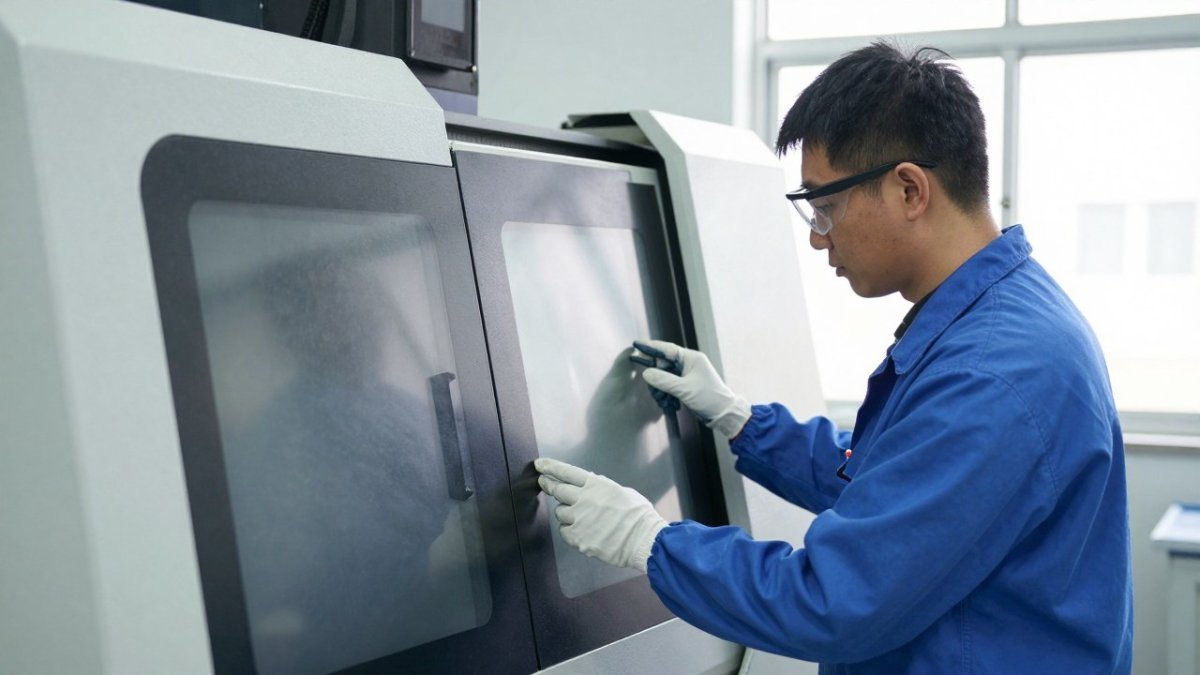
Preparation prevents most of the damage people fear. Before you steam anything, take these steps:
- Switch off and lock out the machine at the isolator.
- Confirm the control cabinet and any drives are fully de-energised.
- Remove chips and loose swarf by hand or with a vacuum first.
- Cover the control panel, spindle nose, encoders and any open ways.
- Wear gloves, eye protection and suitable clothing.
Watch out: never direct steam at a control cabinet or panel seal. Water pushed past a worn gasket can short electronics that appear to be dry.
Work from the top of the machine down, so loosened grime falls onto surfaces you have not yet cleaned.
Which Parts Are Safe to Steam and Which Are Not
Think of the machine in two zones, but judge each surface by what sits behind it rather than by what it looks like. The exterior zone, panels, guards, handles, chip-conveyor covers and the base, is generally suitable for steam because it carries the oily film that steam lifts well and because there is usually an air gap or a sealed cavity behind it. The interior zone is everything that must stay dry, and the reason each item is excluded is mechanical, not cosmetic.
- Control panels, screens and keyboards. Membrane keypads and LCD screens are sealed to a limited ingress-protection rating. Steam at close range can condense and wick past the edge seal, and moisture reaching the circuit board can cause corrosion.
- Drives, servo amplifiers and wiring looms. These sit in cabinets cooled by fans that draw filtered air. Steam pushed at cabinet vents is drawn inward as the cabinet cools, carrying moisture onto terminal blocks.
- Spindle housings and bearings. Spindle seals are designed to keep coolant and chips out under running conditions, not to resist a directed steam jet.
- Linear guideways, ballscrews and precision surfaces. These are oiled, not sealed. Steam can strip the oil film from these surfaces, leaving bare steel exposed.
- Encoders, sensors and cable connectors. A jet directed at encoders or connectors can defeat their sealing.
A practical test before you start: look for the ingress-protection marking on any component you intend to approach. If the marking is IP54 or lower, or absent, treat the component as interior zone. If you cannot see what is behind a panel, remove the panel and look rather than guessing. Where a surface is borderline, wipe it by hand with a dry or lightly dampened cloth, the cleaning result is slower but the risk is nil.
Watch out: a panel that looks sealed from the outside may have a worn gasket on the inside face. Run a finger along the seal before steaming; if it is compressed flat, cracked or missing, the panel belongs in the interior zone until the seal is replaced.
Removing Oil and Coolant From CNC Machines With Steam
For exterior oil and coolant films, steam works well when used lightly. Keep the nozzle moving and avoid holding it on one spot.
Use a low-to-moderate setting and a wide, soft nozzle rather than a concentrated jet. Lift the film, then wipe it away with a clean cloth before it dries back onto the surface.
Coolant residue can be stubborn. A degreasing step on the exterior often helps, but check the manufacturer’s guidance before applying any cleaner near the machine’s labels, seals or paint.
Pure Steam Cleaners offers the Pure i8 Heavy Duty Industrial Steam & Vacuum Cleaner (https://puresteamcleaners.uk/product/pure-i8-industrial-steam-vacuum-cleaner/), which includes a vacuum to pick up loosened residue as you go. For a general approach to oil on hard surfaces, see our guide to removing oil stains from concrete floors.

The table below summarises the practical steps for removing oil and coolant from exterior surfaces, as covered in this section.
| Step | What to do | Note |
|---|---|---|
| Setting | Use a low-to-moderate setting | Avoid a concentrated jet |
| Nozzle | Use a wide, soft nozzle | Keeps the steam spread out |
| Movement | Keep the nozzle moving | Do not hold it on one spot |
| Film removal | Lift the oil or coolant film | Work across the exterior surface |
| Wiping | Wipe with a clean cloth | Do this before the film dries back |
| Residue | Consider a degreasing step | Check manufacturer guidance first |
Steam Pressure, Moisture Ingress and Drying Afterwards
The main hidden risk is moisture ingress, and it is governed by two variables you control: the pressure at the nozzle and the temperature of the steam at the surface. Steam pressure and temperature at the surface both affect the risk of damage, and the damage mechanisms change with them.
At close range, steam at high pressure can damage paint and the adhesive behind rating plates and safety labels. Working at a greater distance reduces surface temperature, so paint and labels are less likely to be affected while the oil film still lifts. The practical rule is to use the lowest setting that removes the grime and to work at distance rather than at pressure.
Seals are the second threshold. A directed steam jet at close range can force water past a seal lip and into the bearing or gearbox behind it. Keep the jet moving, keep it off seal lines, and never hold it on one spot.
Sealing sensitive electronics during the process. The following precautions help limit water reaching sensitive components:
- Isolate and lock off the machine, then confirm the control cabinet is de-energised before you touch it.
- Cover the control panel, screen and any exposed connectors with a close-fitting polythene sheet, taped on all four edges rather than draped. A draped sheet channels condensate downward; a taped sheet keeps it out.
- Tape over cabinet vent grilles and any open cable entries.
- Bag the spindle nose and any exposed encoder with a sealed cover, not a cloth.
- Remove the covers once the machine is dry, not while it is still wet.
Drying and post-cleaning corrosion prevention. Flash rust on bare steel begins within hours in a normal workshop atmosphere, so drying and protection are one continuous step rather than two. Wipe every wet surface with a clean cloth, then leave doors and covers open to let air move through the machine. Do not restore power until the interior is visibly dry. Once the metal is dry, protect bare steel and re-oil to the machine builder’s specification. Refer to the maintenance schedule supplied by the machine builder for the right products, the wrong lubricant can do more harm than the steam did. Keeping drying, corrosion protection and re-oiling within a consistent CNC machine maintenance routine helps prevent small oversights from becoming avoidable machine problems.
Industrial steam equipment needs regular care too. Follow the instructions supplied with your steam cleaner, including boiler maintenance in hard-water areas, because scale in the boiler reduces steam quality and encourages wetter output.
Choosing Your Next Step for Safe CNC Cleaning
If you already steam the exterior and wipe the rest by hand, you have a sound routine. If you are buying equipment for the job, match the machine to the task. Heavy exterior degreasing suits a powerful industrial unit with a vacuum, while light touch-ups may not need one.
Our team can help you choose a machine or check whether a model suits your equipment. Contact Pure Steam Cleaners or send us a message. If you are still comparing options, read our guide to which industrial steam vacuum cleaner is right for you.
Frequently Asked Questions
Is steam cleaning safe for CNC machines?
Steam can be used on some external surfaces of a CNC machine, such as guards, panels, handles and the machine base, which are where oily build-up collects. It is not suitable for electronics, control panels, drive units, or precision surfaces such as slideways and ballscrews. Practical machinists warn that steaming an intact machine can drive chips, sludge, oil and detergent into sealed areas. Check the manufacturer’s manual before cleaning, and treat any steam use as a supervised, limited task rather than a whole-machine wash.
Can steam damage CNC machine electronics?
Yes. Moisture from steam can get into connectors, control cabinets and the screen of a CNC machine, where it can cause corrosion, short circuits and intermittent faults that appear days later. Electronics should be isolated, covered or removed from the cleaning area, and any control panel should be cleaned by hand with a dry cloth. If moisture does enter the electronics, power down the machine and have a qualified technician inspect it before switching on again.
How should you prepare a CNC machine for steam cleaning?
Power the machine down and isolate its electrical supply, then cover the control panel, drive units, motors and any exposed connectors with waterproof sheeting. Remove loose chips and swarf by hand or with a vacuum first, so steam does not push debris into gaps. Wear suitable PPE, including gloves and eye protection, and keep the steam wand moving so the surface is not overheated. Choose the lowest effective pressure and work from the top of the machine downwards.
How do you dry a CNC machine after steam cleaning?
Wipe all treated surfaces down with clean, dry cloths straight after cleaning, paying attention to seams, gaps and recesses where water collects. Leave the machine powered down with panels open for a period so air can circulate, and check inside accessible areas for condensation before restarting. Apply a light protective film to bare steel or cast surfaces to reduce corrosion, and have electronics checked if there is any sign of moisture.
